

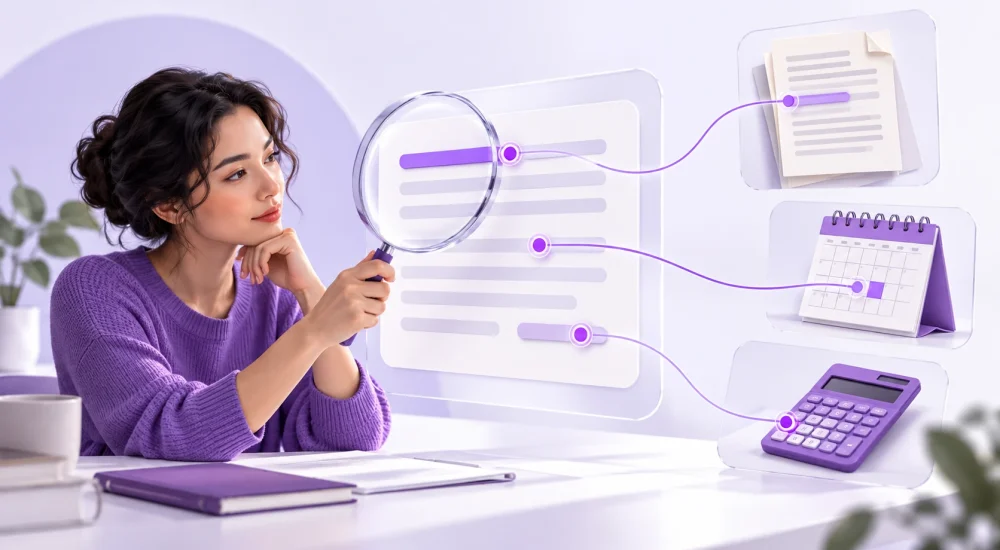
The main reason why ChatGPT gives wrong answers is that generating a convincing response does not guarantee factual accuracy. It can fill gaps with plausible details, rely on outdated information, or misunderstand your situation. You can catch many of these errors by checking individual claims against original sources, confirming dates, and reviewing calculations independently.
That matters when an answer moves beyond brainstorming. A made-up reference can weaken an assignment, while an incorrect course detail can steer someone toward the wrong purchase. The seven checks below give you a repeatable way to decide what to use, correct, or hold for further review.
Why ChatGPT Gives Wrong Answers Even When It Sounds Confident
ChatGPT can produce fluent explanations without enough evidence for every detail. Large language models, the systems behind tools like ChatGPT, learn patterns from large amounts of data. Their ability to generate coherent language does not establish that a particular name, date, or explanation is correct.
A plausible but false statement is commonly called a hallucination. For example, an answer might name a real researcher but invent a study title. Other inaccurate AI answers involve stale information, mistaken assumptions, or faulty calculations rather than fabricated facts.
OpenAI’s research on hallucinations explains how uncommon facts can resist prediction from language patterns. It also argues that evaluation methods rewarding correct guesses can encourage guessing instead of acknowledging uncertainty. A confident tone therefore gives you little basis for judging a claim.
Web search can bring in current evidence, but source access and interpretation still matter. For background on how these tools generate responses, read Atlas Learners’ beginner’s guide to generative AI.
Common AI Errors Worth Checking
Look for details you can verify, especially those that could change your decision. This table separates common problems so you can choose the right check.
|
Error |
What It Might Look Like |
What to Check |
|---|---|---|
|
Invented information |
A study, quotation, or certificate claim without evidence |
Original publication or provider confirmation |
|
Outdated information |
An old price presented as current |
Current terms and effective date |
|
Missing context |
Advice for a different country or software version |
Location, version, audience, and conditions |
|
Calculation or reasoning error |
A correct monthly price converted into the wrong annual total |
Inputs, arithmetic, units, and assumptions |
Treat these as warning signs, not proof that the entire answer is wrong. An otherwise useful response can contain one unsupported detail. The next step is to isolate and check it.
Be especially careful when accurate details surround an invented one. A familiar organization, professional formatting, and a precise date can make a false claim look credible. Instead of treating those signals as reassurance, ask which source establishes the specific statement you plan to use.
Seven Ways to Check ChatGPT’s Answers
AI fact checking works best when you follow the evidence outside the conversation. Start with claims that affect money, deadlines, safety, or someone else’s decisions; then work through supporting details.
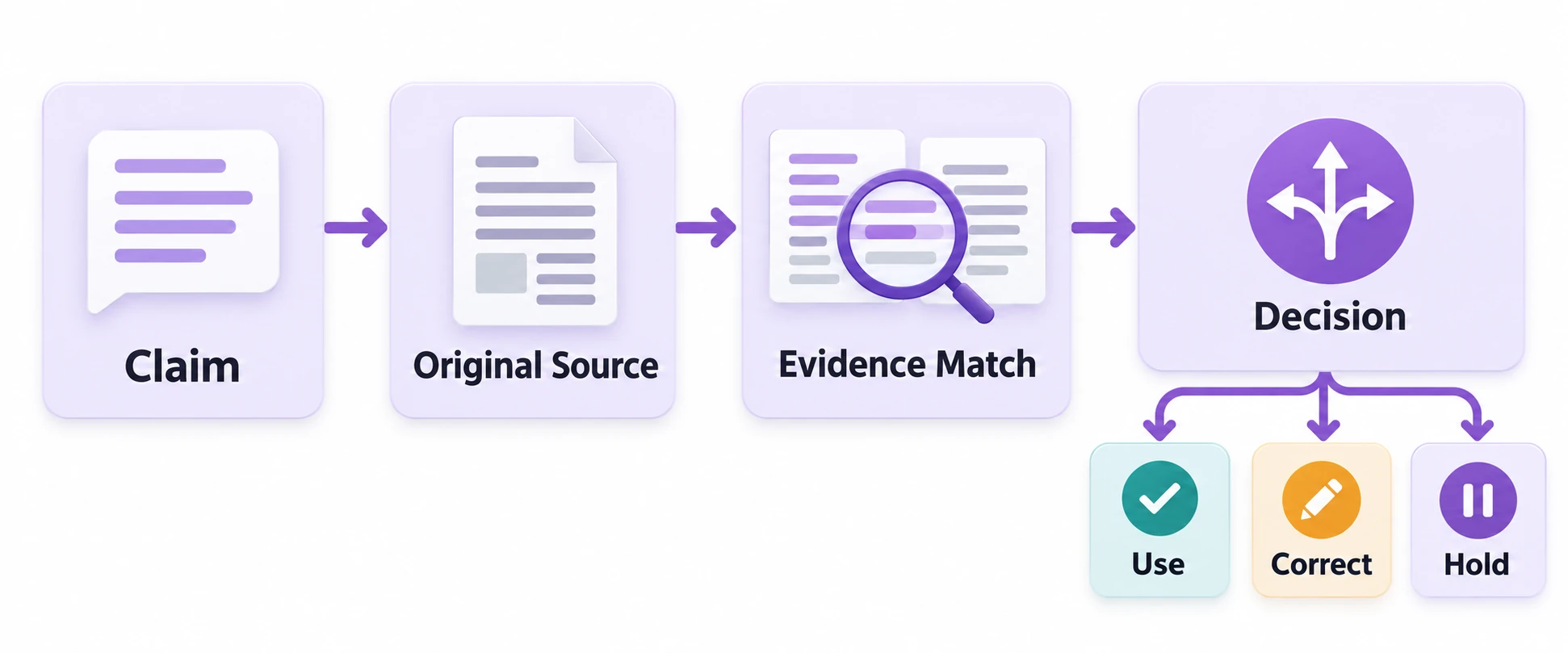
1. Separate the Answer Into Checkable Claims
Break a broad recommendation into statements you can confirm. “This is the best beginner course” could hide claims about prerequisites, lesson content, price, and certification.
Ask ChatGPT to list those claims, but inspect the list yourself for omissions. Highlight names, numbers, dates, quotations, and promises. This makes hallucination detection manageable because you are checking specific statements rather than judging whether a paragraph sounds sensible.
2. Find the Original Source
Go to whoever publishes or controls the information. Use the course provider for enrollment terms, the software vendor for product features, or the research paper for a study’s findings.
Search engines help locate evidence; snippets alone rarely provide enough context. Open the page and find the relevant passage. If ChatGPT cannot access a source, do not assume its summary reflects the page. Find an accessible authoritative version or leave the claim unconfirmed.
3. Check That Citations Exist and Support the Claim
Verify both the reference and the statement attached to it. For a research citation, compare the title, authors, year, journal, and DOI, the permanent identifier many publications use. Search the publisher’s site or an appropriate academic database.
Then read the relevant findings and limitations. A genuine paper about AI adoption does not prove that AI improves performance. Likewise, a course page describing exercises does not establish that it awards a certificate. Source verification requires an evidence match, not simply a working link.
4. Confirm Dates, Versions, and Location
Check when the information applies, not just when someone updated the page. A recently edited article can still quote an older policy or price.
For software, confirm the version and plan. For fees, identify the currency, billing period, and additional charges. For rules or eligibility, check the relevant location and effective date. Ask for current sources when needed, then open them yourself; the word “latest” in a prompt does not establish freshness.
5. Compare Independent Evidence
For disputed or consequential claims, seek corroboration from a source that did not simply repeat the first one. Several websites copying the same announcement provide one underlying account, not several independent confirmations.
Another chatbot can suggest questions or identify inconsistencies, but agreement between models does not prove factual accuracy. If credible sources disagree, compare their dates, definitions, methods, and scope. Keep the disagreement visible until you can explain it or obtain a qualified review.
6. Recalculate Numbers and Test the Logic
Use a calculator or spreadsheet to check important arithmetic. Confirm the inputs before calculating: a monthly subscription and a one-time fee require different comparisons.
For example, a hypothetical US$20 monthly plan costs US$240 over 12 paid months, before taxes or discounts. However, someone studying for two months would pay US$40 under those assumptions. Also check percentages, units, and missing conditions; correct arithmetic can still support a misleading conclusion when the comparison is wrong.
7. Check the Answer Against Your Actual Context
Compare the recommendation with the task you gave it. Does it respect your budget, skill level, location, deadline, and required outcome? When reviewing a summary, compare it with the supplied document rather than general knowledge.
Clear prompts help expose assumptions. Atlas Learners’ prompt engineering guide explains how to supply context and constraints. However, asking a model to flag uncertainty does not replace checking its answer. Record unresolved claims and hold any recommendation that relies on them.
A Worked Example of Checking an AI Course Comparison
Suppose you ask ChatGPT to recommend a beginner course for a colleague who wants practical exercises and needs a certificate for workplace reimbursement. In this hypothetical example, it replies: “Course A is the best choice. It costs US$20, includes six lessons, and provides a certificate.”
Start with three factual claims: the cost, lesson count, and certificate. Then check the provider’s current course page and payment terms. Imagine the page confirms six lessons and exercises, while the terms identify US$20 as a monthly subscription. Neither confirms a certificate.
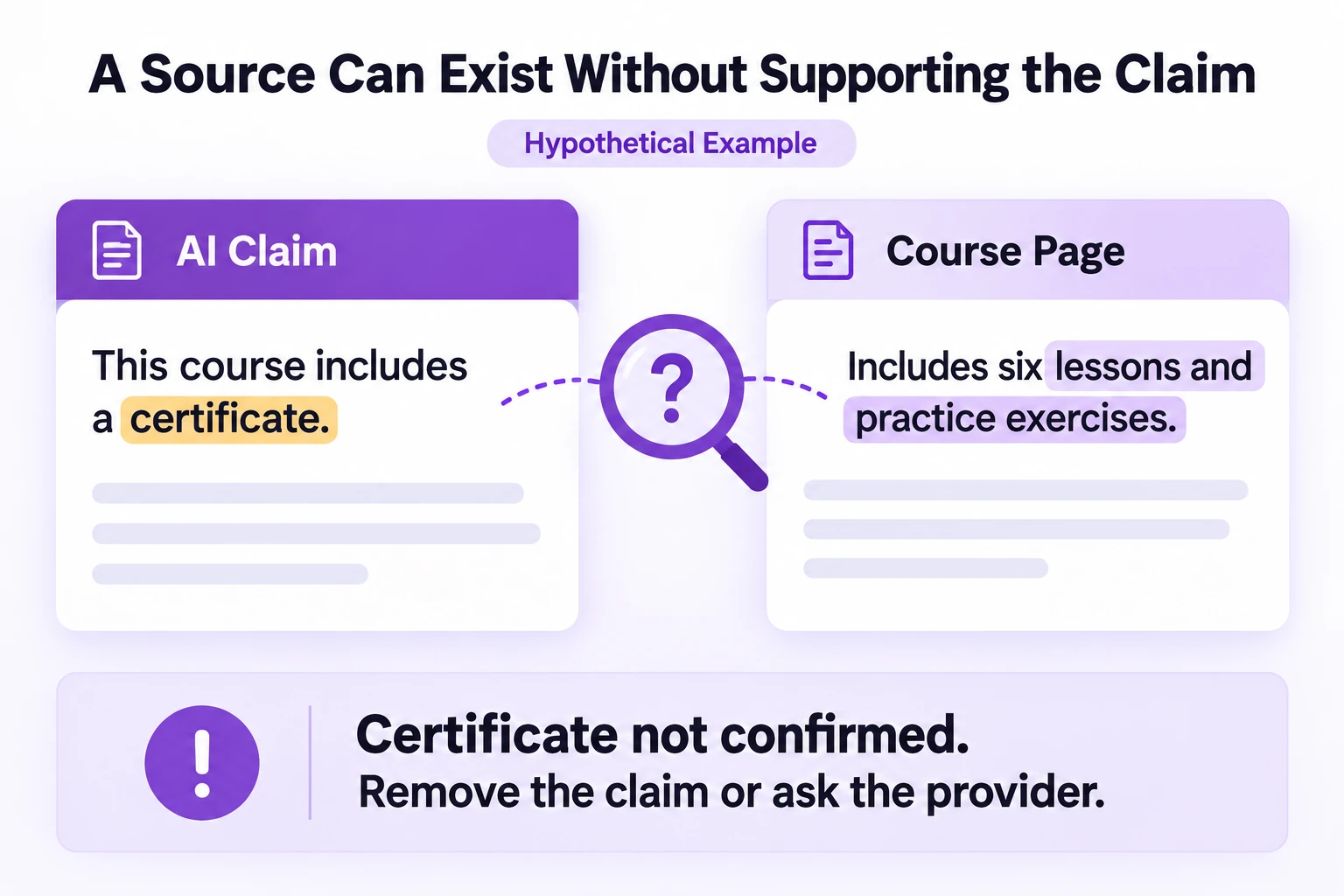
Your review now produces three different outcomes:
Keep the confirmed lesson count.
Correct the cost to US$20 per month and compare the expected subscription period.
Hold the recommendation until the provider confirms the certificate and your colleague checks the employer’s reimbursement requirements.
Do not change “certificate unconfirmed” into “no certificate.” Missing evidence leaves a question open. Because certification is essential here, the decisive action is to pause enrollment or choose another course with documented eligibility.
Use this prompt to organize a similar review:
“List the factual claims in this answer. For each, show the source and supporting passage if available. Mark missing support as unconfirmed. Separate facts from assumptions, identify dates and cost conditions, and list questions I must resolve before acting.”
Review the resulting table against the sources yourself. Once the important details match, rewrite the recommendation using only confirmed information. Keep the source links and checking date alongside your notes so you can revisit changeable details later.
This is how to verify AI information without restarting the whole task: preserve the useful structure, replace unsupported details, and resolve the conditions that affect the choice. The same approach works for a product comparison, meeting summary, or research outline.
When AI Answers Need Expert Review
Use qualified human oversight when a mistake could cause serious harm or create a binding obligation. A chatbot can help organize questions, but it should not independently determine a medication change, legal filing, investment decision, or safety-critical procedure.
The reviewer needs relevant expertise and the actual circumstances. Medical advice may require clinical history; legal guidance may require the correct jurisdiction and current law. Ordinary web checks cannot substitute for that assessment. OpenAI’s accuracy guidance also recommends verifying important information and external references.
Make Verification Part of Your AI Workflow
Before you share an AI answer, verify the claims that drive the decision. Correct what the evidence contradicts, and remove or hold what you cannot support. This gives you a practical stopping rule instead of endless follow-up questions.
Try the seven checks on one answer you have recently used. Then build the review step into your regular work. For structured practice in briefing, supervising, and evaluating AI outputs, explore Atlas Learners’ Fusion Foundations curriculum and start with its foundation module on AI collaboration.